A connected suite of native apps that bridges store teams and drivers, ensuring faster deliveries and seamless communication at every step.
What is cartwheel
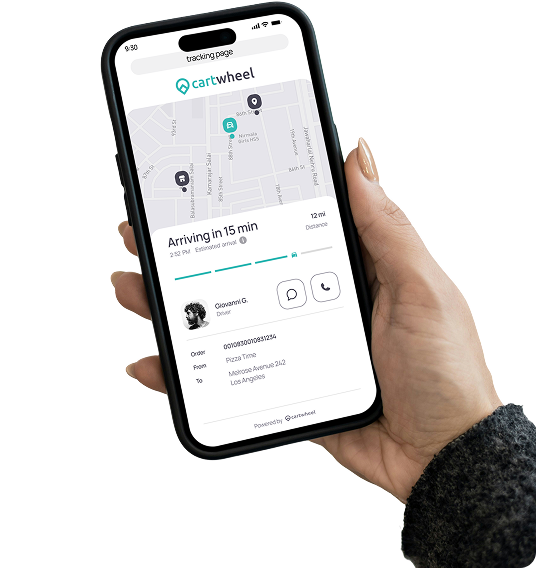
Cartwheel is a leading delivery management platform that helps restaurants and courier companies streamline last-mile delivery. Our team collaborated with Cartwheel to develop two powerful mobile apps: the Store App and the Driver App that simplify order management, optimize delivery workflows, and enhance real-time communication between stores, drivers, and customers.
Project goal
The goal of the Cartwheel project was to streamline delivery operations for restaurants and retailers by replacing fragmented tools with two connected native apps. We focused on improving real-time order tracking, driver coordination, and store-to-field communication so teams could manage deliveries faster with greater visibility at every step.
Client
Alex Vasilkin
Duration
2017 - 2020
Industry
Delivery Management
Our Role
UI UX design & Mobile App Dev
Platform
Android, iOS

Problem Statement
Fragmented Delivery Management
Restaurants often juggle multiple systems to manage in-house deliveries and third-party courier services, creating confusion and delays across daily operations.
Lack of Real-Time Visibility
Teams could not track driver locations or delivery statuses accurately, leaving stores and customers without reliable updates when orders were in progress.
Inefficient Driver Workflow
Drivers faced route confusion, manual status updates, and missing notifications — slowing down every handoff between the store and the customer.
Inconsistent Brand Experience
Without a centralized system, restaurants could not offer customized customer-facing tracking or maintain brand consistency across the delivery journey.
Solution
- *Developed two synchronized mobile apps the Store App and the Driver App to unify all delivery operations under one ecosystem. This allowed restaurants to assign, monitor, and complete deliveries seamlessly from a single platform.
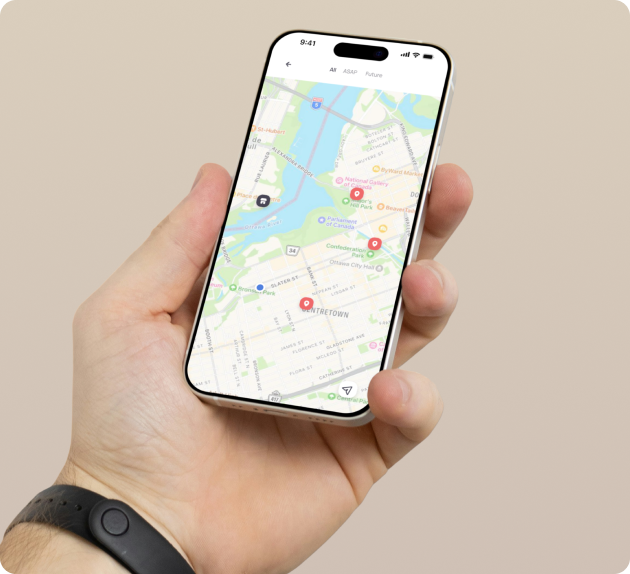
- *Integrated real-time order tracking and live driver location updates through WebSockets and APIs. Both apps sync instantly, giving stores full visibility into delivery progress and customers timely updates.
- *Added Custom Branding Support and Hybrid Delivery Mode, allowing restaurants to maintain their brand identity and switch flexibly between in-house or third-party delivery options without losing consistency.
- *Built a dedicated Driver App with route optimization, auto-status updates, and push notifications for new orders — helping drivers manage their deliveries efficiently and stay informed on the go.
Development Journey
A structured development approach to bring Cartwheel's delivery ecosystem to life.
We worked with Cartwheel's product and backend teams to define app architecture, APIs, and feature priorities. A clear roadmap was created for both Store and Driver apps to ensure seamless coordination.
We built responsive Flutter UIs for iOS and Android based on Figma designs, ensuring consistent layouts, components, and interactions across both apps.
Key features like real-time order sync, push notifications, and hybrid delivery logic were implemented. We ensured reliability, quick data flow, and easy integration with third-party APIs.
Rigorous testing ensured stable communication between Store and Driver apps. Performance, syncing, and responsiveness were refined through multiple iterations.
Key feature
Powerful functionalities that connect stores, drivers, and customers in one seamless delivery system.

Hybrid Delivery Integration
Switch easily between in-house and third-party delivery modes (Uber Direct, DoorDash Drive, etc.) for maximum flexibility and efficiency.

Real-Time Synchronization
APIs and WebSockets ensure instant data sync between Store and Driver apps — every order update, driver status, and delivery progress happens live.

Third-Party API Integrations
Seamless connectivity with major platforms like Square, Toast, Uber Direct, DoorDash Drive, and RMDA.

Analytics & Reporting
Access data insights on delivery speed, performance metrics, and order volume to optimize business operations.

Custom Branding Support
Restaurants can add logos, color themes, and banners for a fully branded delivery experience.
Store App
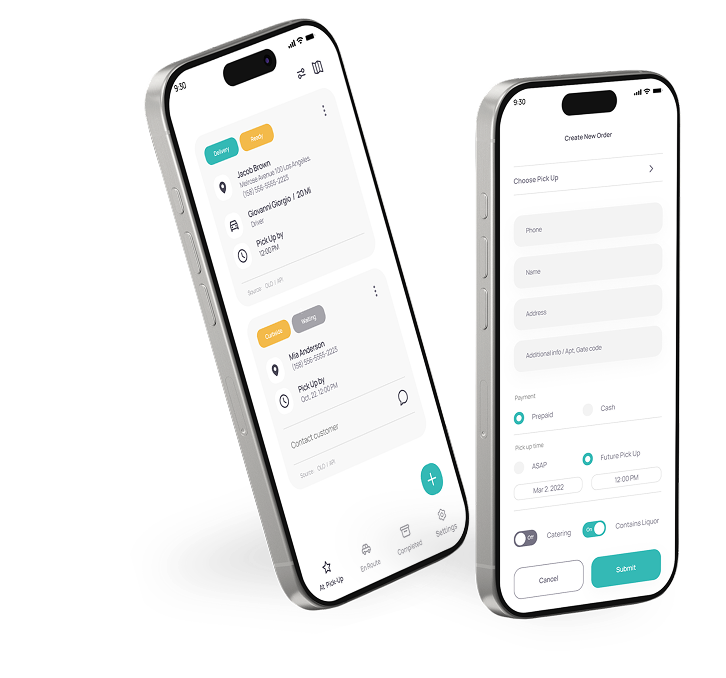
The Store App is the command center for every delivery operation. From creating new orders to assigning drivers, store staff manage it all effortlessly in one place. They can track real-time driver locations, monitor curbside pickups, and confirm completed deliveries; all while staying connected with customers. It's designed to keep the process smooth, organized, and stress-free for busy store teams.
Key Features
- Manage all active, pending, and completed orders
- Assign deliveries to in-house or third-party drivers
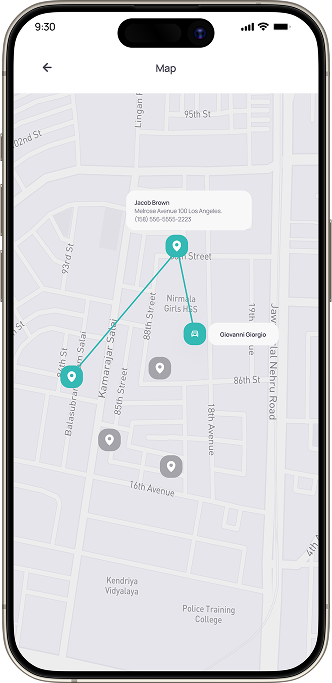
- Track drivers and orders in real time
- Receive instant notifications for new orders or updates
- Switch between hybrid delivery modes
- View detailed customer and order information
- Access delivery summaries and performance data
Who Uses the Store App
Restaurant Managers
Oversee daily delivery operations and monitor performance.
Store / Front Desk Staff
Handle incoming orders, assign deliveries, and manage updates.
Dispatch Teams
Coordinate between kitchen, drivers, and customers to ensure on-time deliveries.

Home
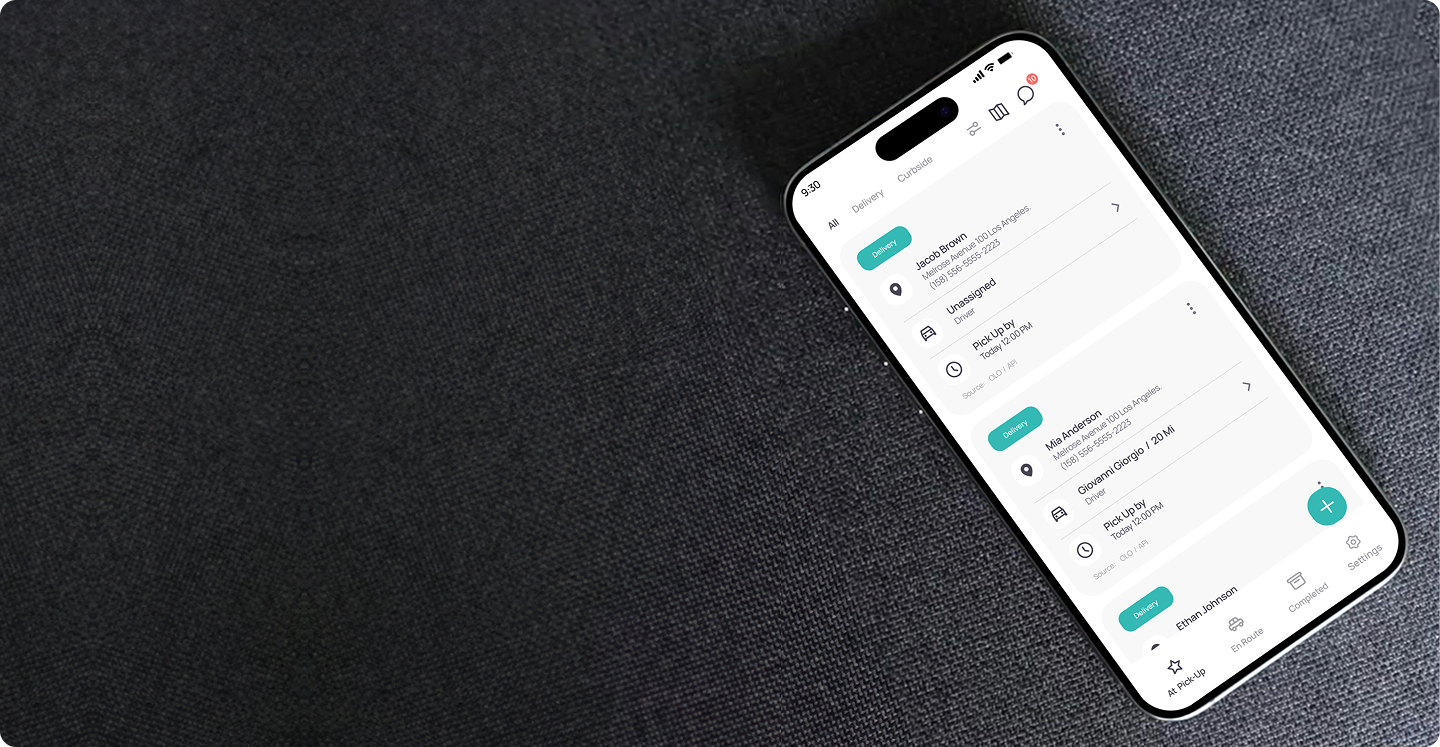
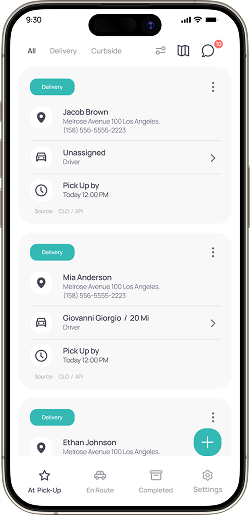
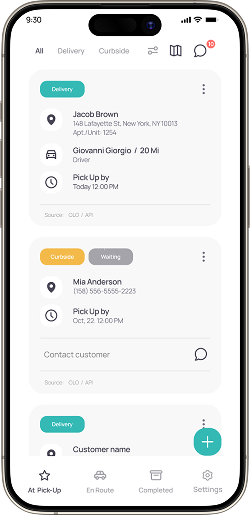
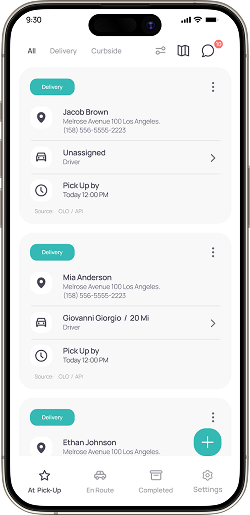
The Home screen provides a centralised view for store staff to manage all ongoing orders from new pickups to completed deliveries. With synchronised updates across both Store and Driver apps, staff can assign drivers, track routes, and monitor order progress in real time. This unified interface helps teams handle multiple orders efficiently and maintain seamless communication between kitchen, drivers, and customers.
- Quick filters to switch between delivery types, routes, and communication tools instantly.
- Displays key order info, customer details, driver status, and pickup time in one glance.
- Easily assign or reassign drivers for faster delivery management.
Assign Driver
Easily allocate drivers to delivery orders in real time, ensuring faster dispatch and smoother coordination between the store and driver apps.
Quickly search and locate available drivers by name or status.
View each driver's online status and active order count for smarter assignment decisions.
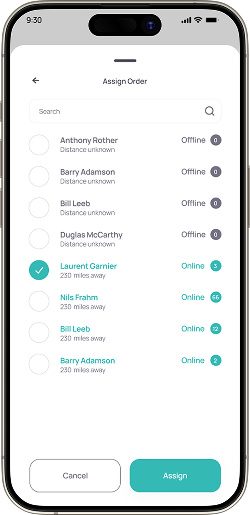
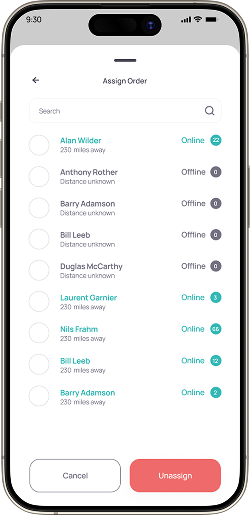
The Assign Order screen enables store teams to instantly find and assign the most suitable driver based on real-time availability and distance.
Orders
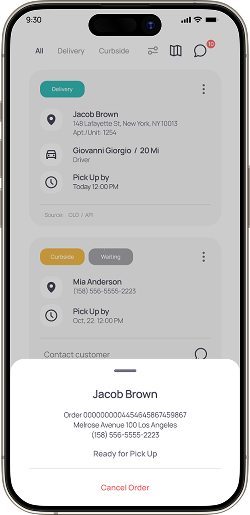
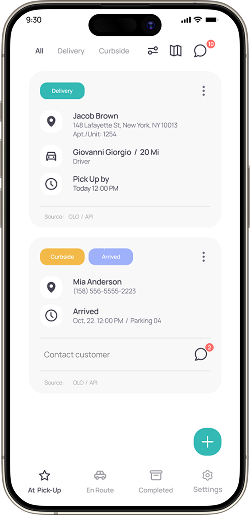
Track, update, and manage delivery requests from order creation to completion all within one unified dashboard.
Indicates that the customer has arrived for curbside pickup, helping staff act instantly.
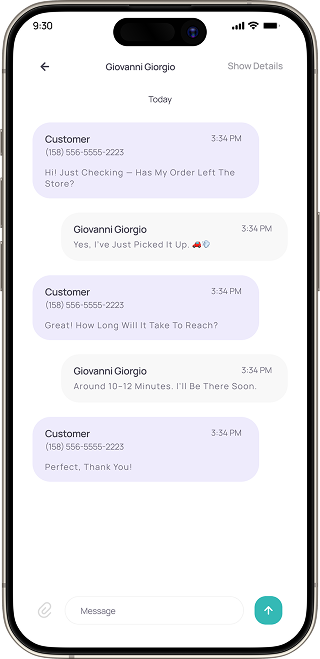
Start a direct conversation with the customer for quick coordination or updates.
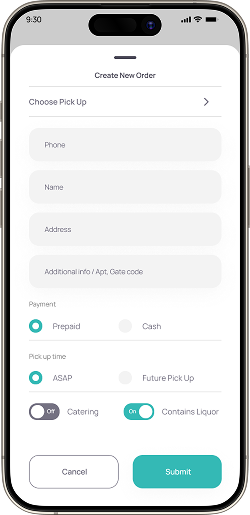
Select the pickup location quickly before entering customer details.
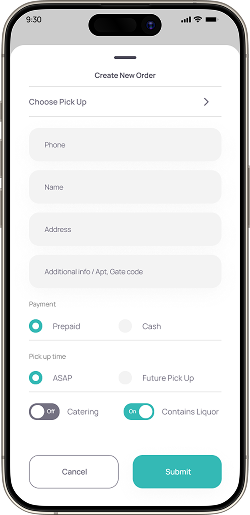
The Create New Order screen simplifies order entry for staff with structured input fields, quick payment toggles, and contextual settings for special order types.
How Store App works
A complete workflow that connects stores, drivers, and customers seamlessly.
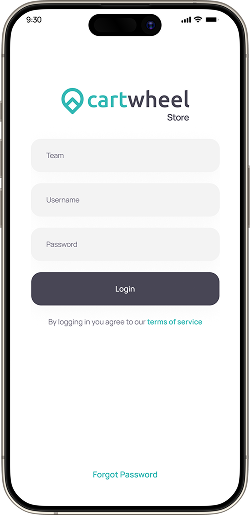
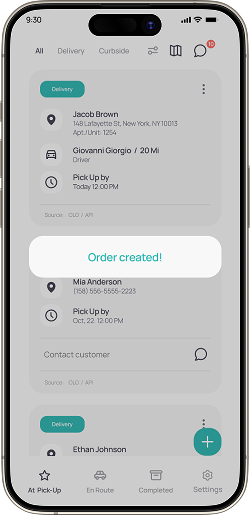
It all begins when the store team logs in, creates a new order, and fills in the customer's details. The journey starts here.
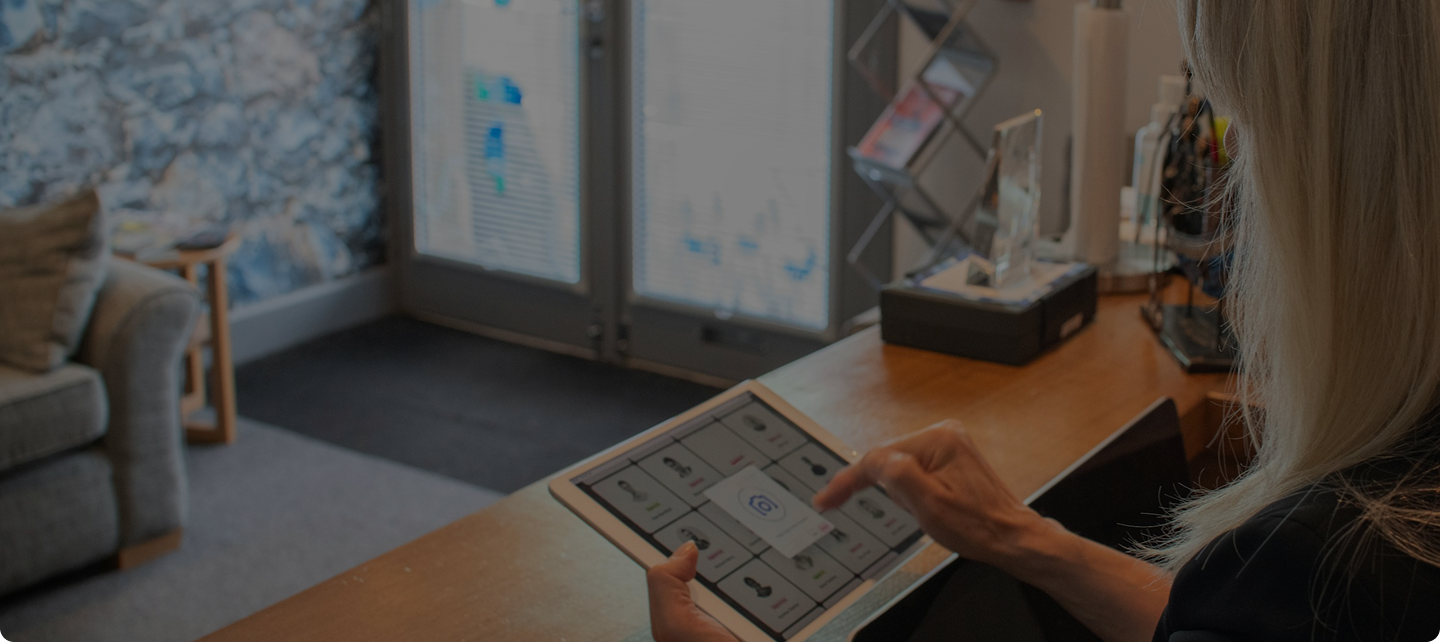
Once the order is ready, it's assigned to a driver who hits the road, the store can track every step as the delivery moves in real time.
Finally, the driver completes the delivery, payment is confirmed, and a happy customer leaves their review — another order successfully fulfilled.
How Store App works
A complete workflow that connects stores, drivers, and customers seamlessly.
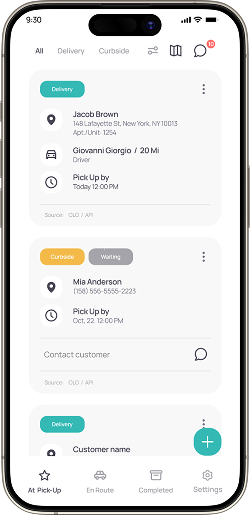
It all begins when the store team logs in, creates a new order, and fills in the customer's details. The journey starts here.
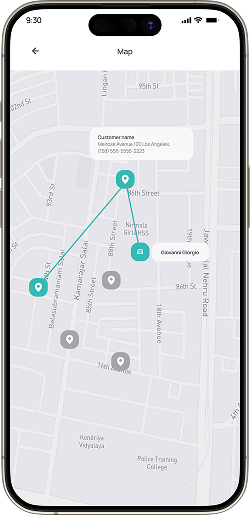
Once the order is ready, it's assigned to a driver who hits the road, the store can track every step as the delivery moves in real time.
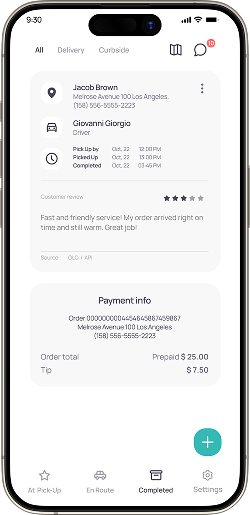
Finally, the driver completes the delivery, payment is confirmed, and a happy customer leaves their review — another order successfully fulfilled.
Driver App
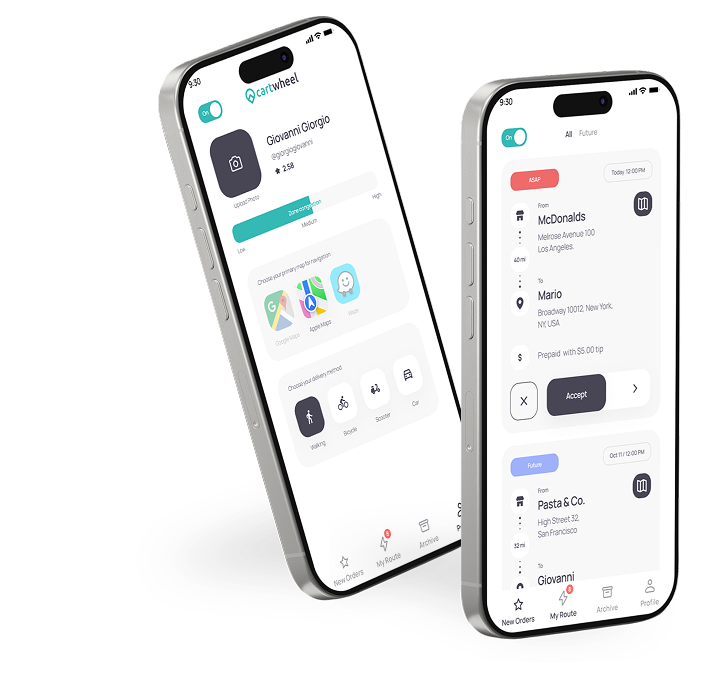
The Driver App turns every delivery into a guided mission. Drivers receive instant order assignments, navigate with built-in maps, and update their delivery status with a single tap. Real-time notifications keep them synced with the store, while easy communication ensures timely pickups and happy customers. It's built for clarity, speed, and reliability on the go.
Key Features
- Receive and manage new delivery requests in real-time.
- Update order status instantly (Picked Up, On Route, Delivered).
- View detailed order and customer information.
- Toggle between Online, Busy, and Offline modes.
- Track delivery history and earnings summary.
- Communicate directly with store staff when needed.
- Access optimized routes with integrated map navigation.
Who Uses the Driver App
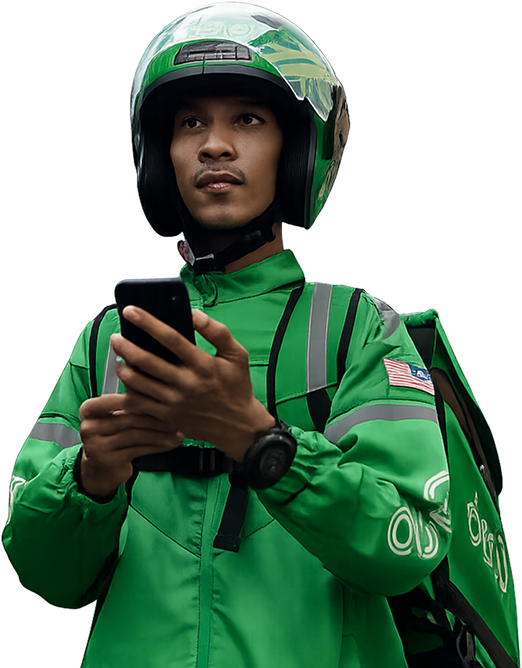
In-House Delivery Drivers
Deliver orders directly from the restaurant, ensuring timely and accurate drop-offs.
Third-Party Contract Drivers
Handle overflow or extended-distance deliveries when in-house drivers are unavailable.
Courier Service Partners
Collaborate with multiple restaurants or delivery platforms, managing multiple routes efficiently.
Home
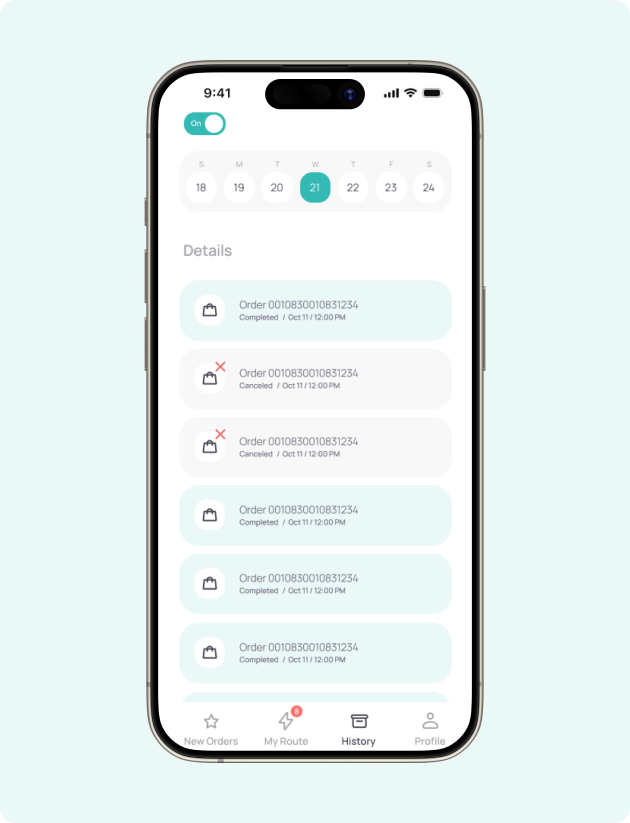
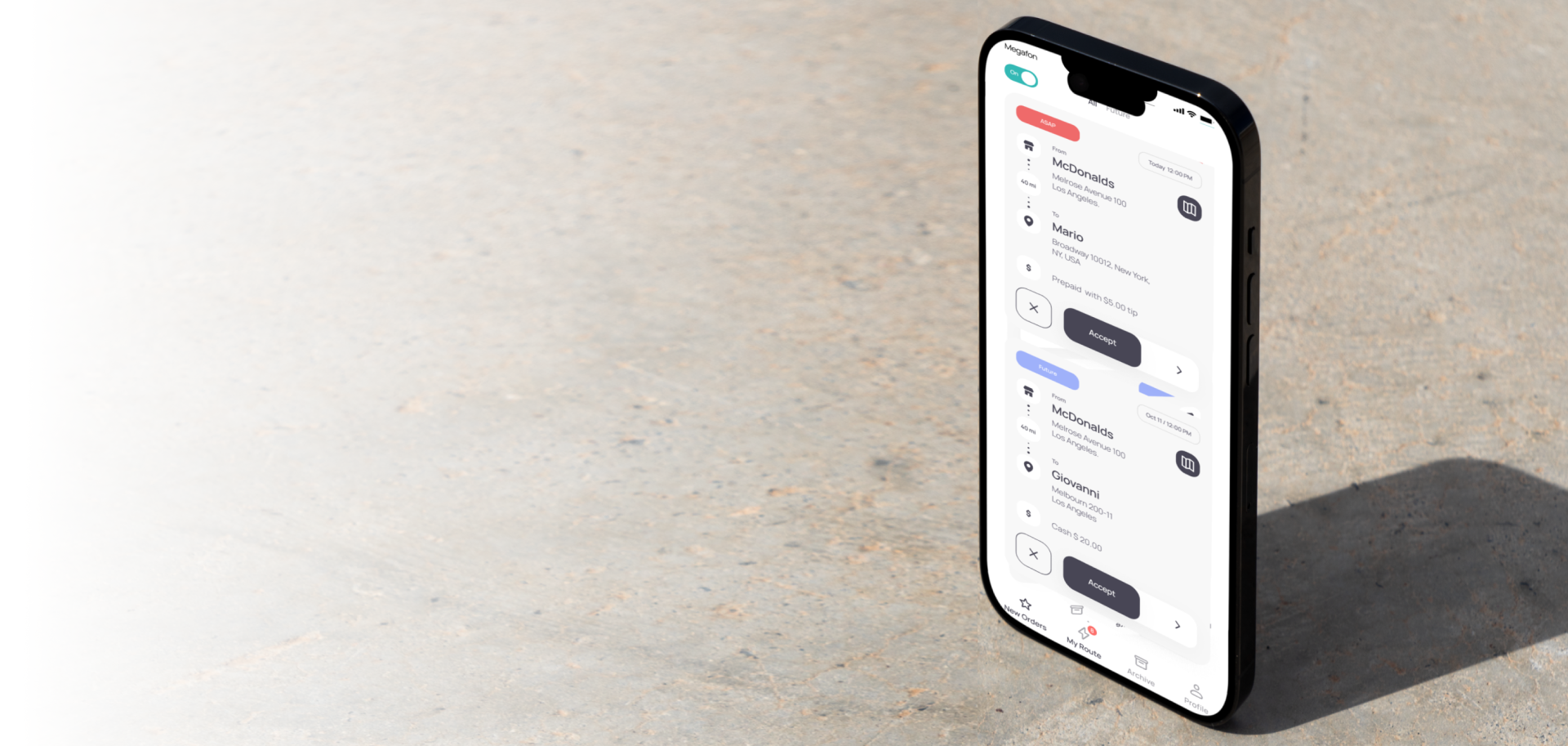
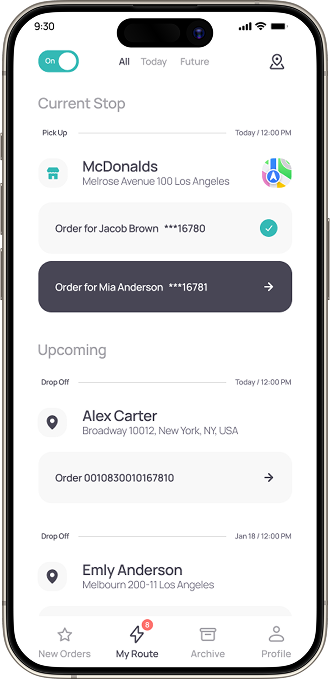
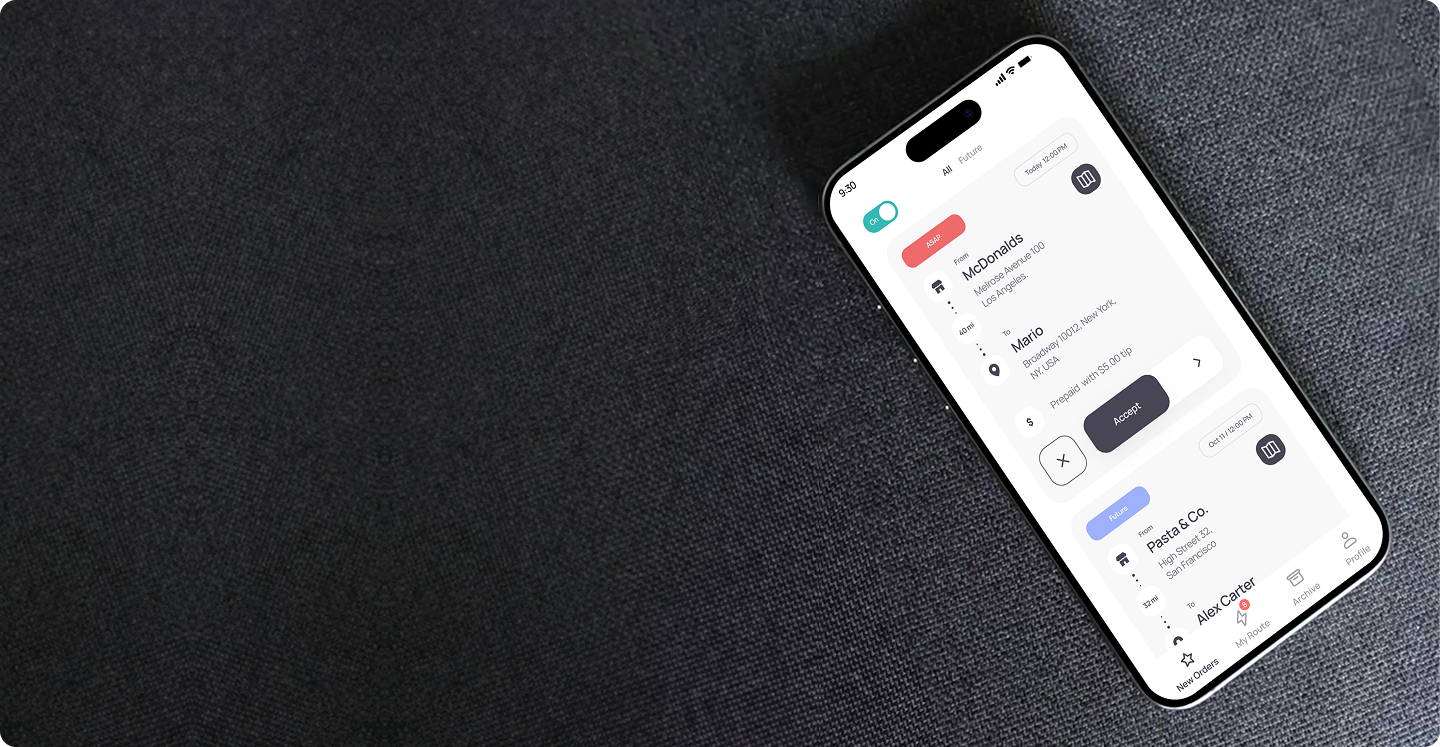
The Driver Home screen provides a streamlined overview for managing daily deliveries. Drivers can view all assigned, active, and upcoming orders in one place with quick filters for time-based sorting. Each order card shows pickup and drop-off details, customer info, and payment type for better clarity. With instant accept/reject actions and synchronized updates across store and driver apps, the interface helps drivers stay organized and maintain efficient delivery operations throughout their shift.
- Drivers can toggle availability status to start or end shifts instantly.
- Displays key delivery info, store name, customer, payment type, and pickup time all in one glance.
- Drivers can accept or decline orders instantly for faster dispatching.
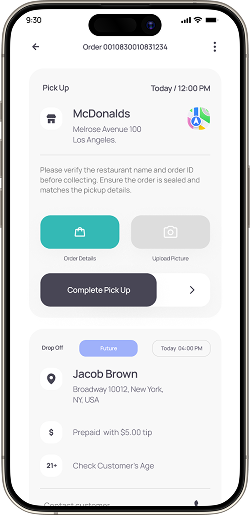
Pickup Order
Check order details and collect the package from the restaurant before starting your delivery.
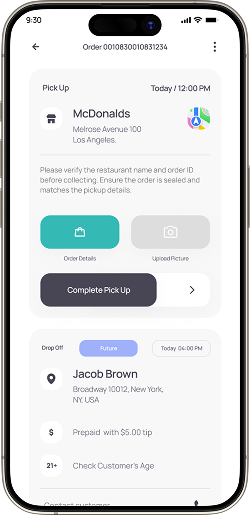
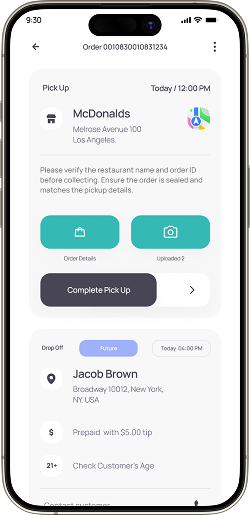
When unexpected issues arise, like a missing customer or wrong address, drivers can easily cancel or return an order using the three-dot menu. A quick popup lets them select a reason and add a short note, keeping the store team instantly informed.
To complete the pickup, add a picture as proof.
Swipe to complete pickup and proceed to the customer's location.
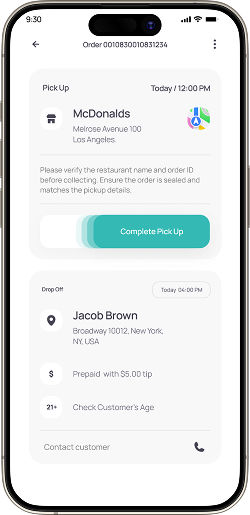
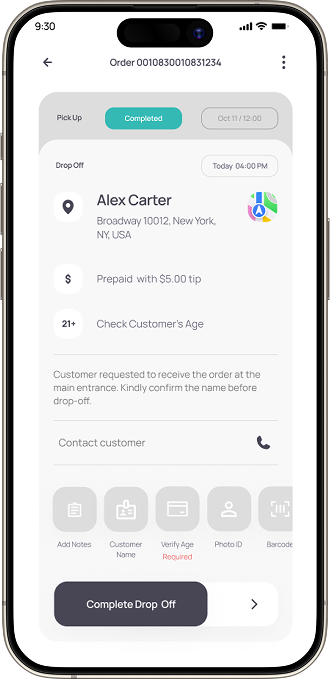
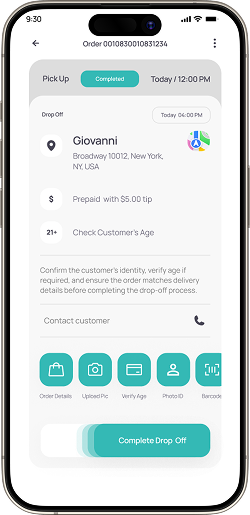
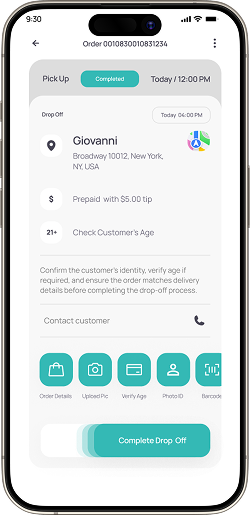
Drop off Order
Simplifying the last mile. Verify, confirm, and complete deliveries with quick proof and real-time updates.
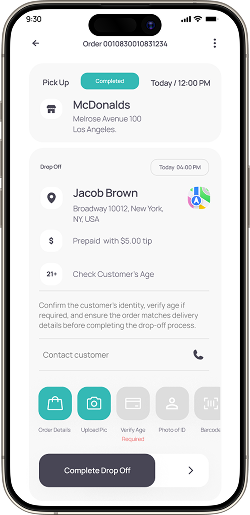
Shows customer and order details for accurate delivery at the correct drop-off location.
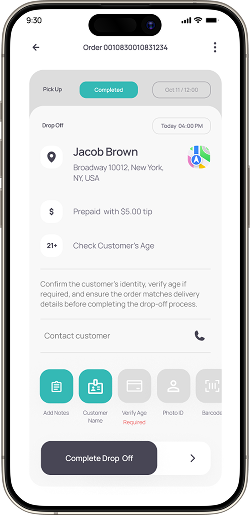
Complete all required actions like adding notes and verifying details before finalizing the order.
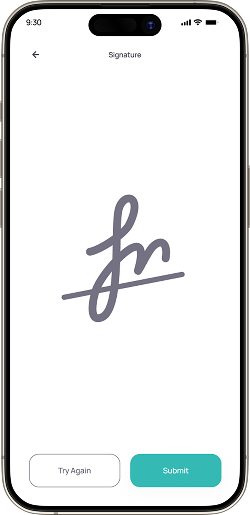
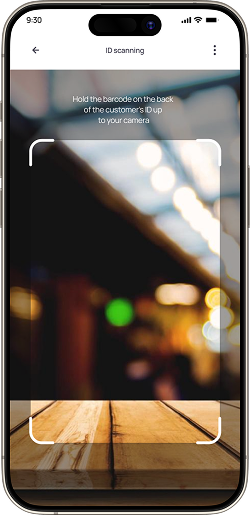
This screen guides drivers through the final delivery process from verifying customer details and completing identity checks to confirming successful handoff with photo or signature proof.
Once all details are verified and notes added, you're ready to complete the drop-off.
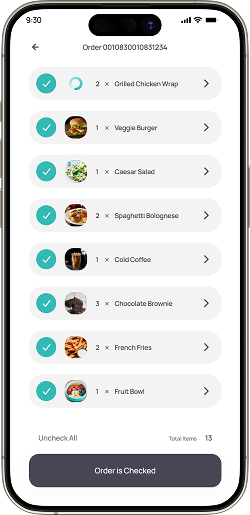
Order details
Review and verify all ordered items before collecting the package for delivery.
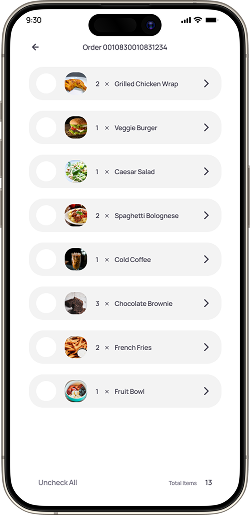
Displays a complete list of all ordered items along with their quantities for quick verification.
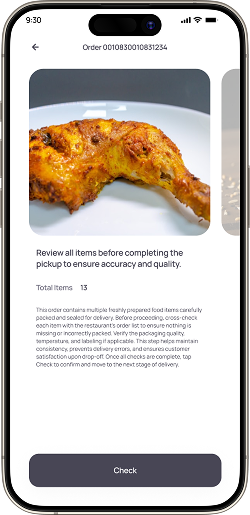
Tap on the arrow beside each item to view item details or preview the image before marking it checked.
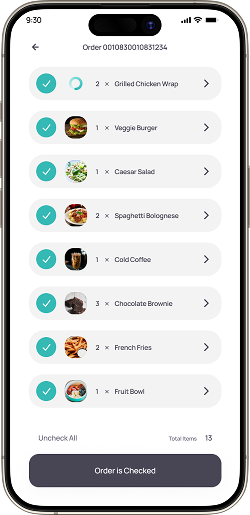
Before marking the order as complete, carefully review the quantity and details of each item to ensure accuracy.
Profile Screen
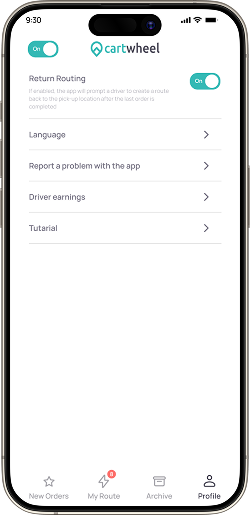
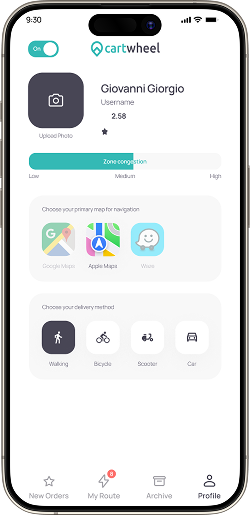
Manage personal settings, navigation preferences, and app controls to support every delivery experience.
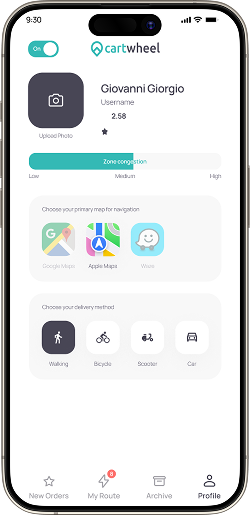
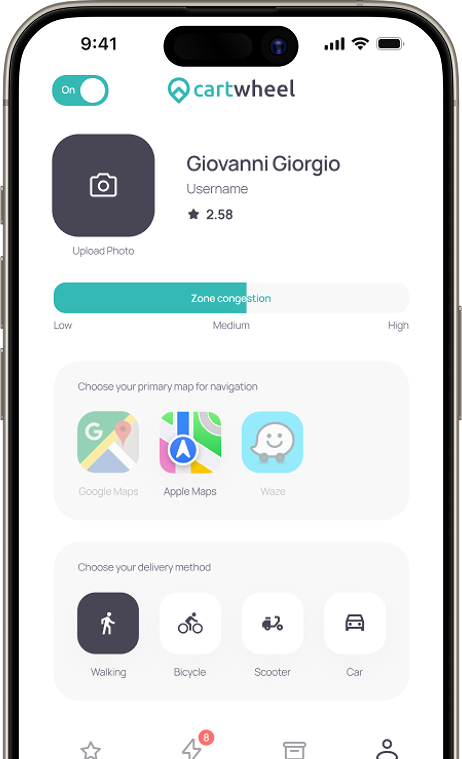
Choose your preferred navigation app to make route tracking faster and more convenient during deliveries.
As an extra control, the driver can set their account status to Busy, Online, or Offline to manage availability effectively.
Select your delivery mode with bike, cycle, scooter, or car to match delivery type and route efficiency.
How Driver App works
A complete workflow that connects stores, drivers, and customers seamlessly
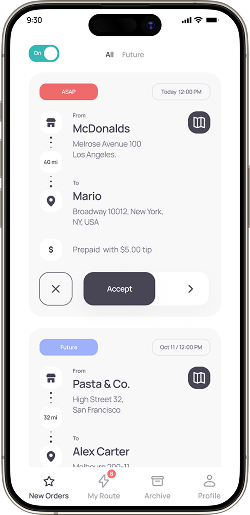
The driver starts by logging in and checking the list of available orders, ready to pick up the next delivery on the route.
Once the order is accepted, the driver heads to the restaurant, confirms pickup, and keeps the store updated in real time as they hit the road.
Finally, the driver completes the drop-off, verifies customer, and marks the delivery as done another order successfully fulfilled.
How Store App works
A complete workflow that connects stores, drivers, and customers seamlessly.
The driver starts by logging in and checking the list of available orders, ready to pick up the next delivery on the route.
Once the order is accepted, the driver heads to the restaurant, confirms pickup, and keeps the store updated in real time as they hit the road.
Finally, the driver completes the drop-off, verifies customer, and marks the delivery as done another order successfully fulfilled.
Style Guide
ABCDEFGHIJKLMNOPQRSTUVWXYZ
abcdefghijklmnopqrstuvwxyz
1234567890!@#$%^&*()
MANROPE
Tiffany Teal
#3DBFB8
Charcoal Plum
#4A495D
Coral Rose
#E96A6A
Soft Periwinkle
#8D9AE8
Snow White
#F8F8F8
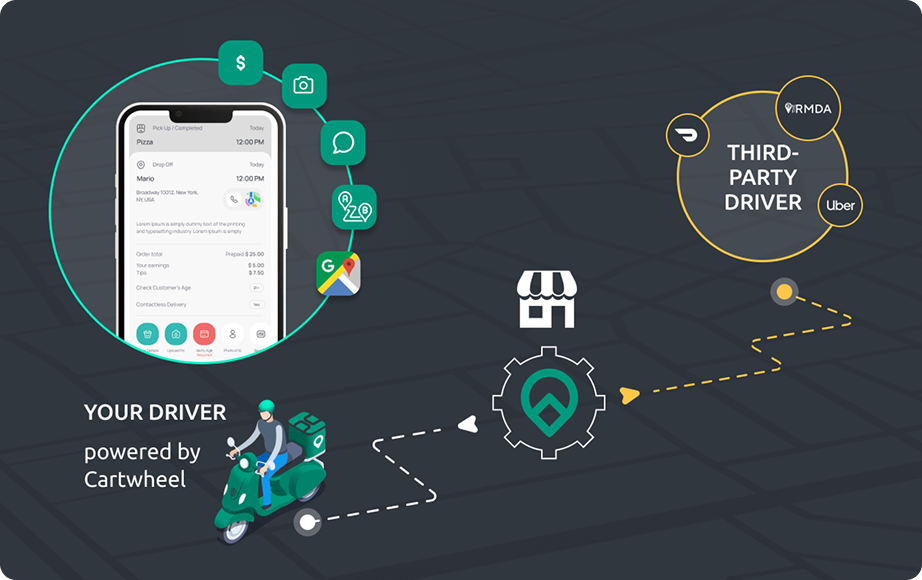
The Cartwheel mobile apps now power deliveries for top brands like Portillo's, P.F. Chang's, and Lou Malnati's. With hybrid delivery, real-time tracking, and seamless driver-store communication, these apps have redefined efficiency in restaurant delivery management.




.png)